Take the tour

Five steps.
One operator. One Mindy.

Scroll through the five steps to see what hiring Mindy looks like — from onboarding through WordPress, Slack, the site widget, and approvals on your phone. A working demo is waiting at the bottom.

Step 1 · Sign up

Hire Mindy in under five minutes.

Sign up at app.mindy.help, name your site, and tell Mindy what you publish. She asks the same questions a new hire would on day one — and remembers your answers everywhere she shows up next.

app.mindy.help/onboarding
app.mindy.help · onboarding
Mindy

Hi! I'm Mindy. What kind of content do you publish?

You

A long-running food blog — recipes, technique posts, and the occasional essay.

Mindy

Got it. I'll prioritise recipe questions, ingredient subs, and seasonal callbacks. Connect your WordPress next?
In onboarding
Step 2 · Connect WordPress

Drop in the plugin. Mindy reads your archive.

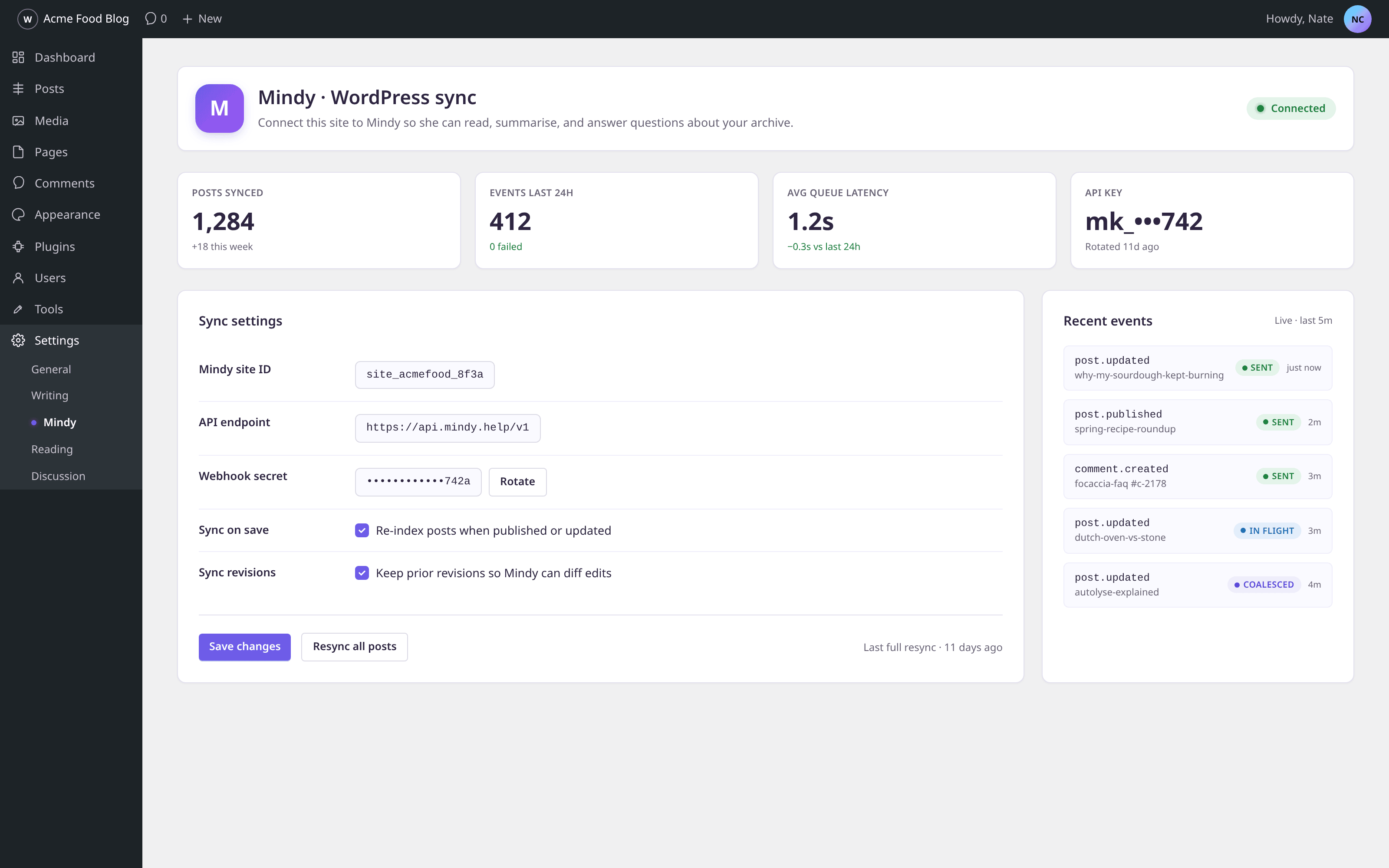
Install mindy-sync, paste your site key, and walk away. Mindy reads every post, page, and revision in the background — nothing to migrate, nothing to re-shape. New writing flows in as you publish it.

The mindy-sync plugin's Settings page inside WordPress wp-admin — showing 1,284 indexed posts, a healthy connection status, sync settings, and a live event log of recent post.updated, post.published, and comment.created events.
In WordPressPreview — not yet captured from live product
Step 3 · Bring her into Slack

Add Mindy to the channels your team already lives in.

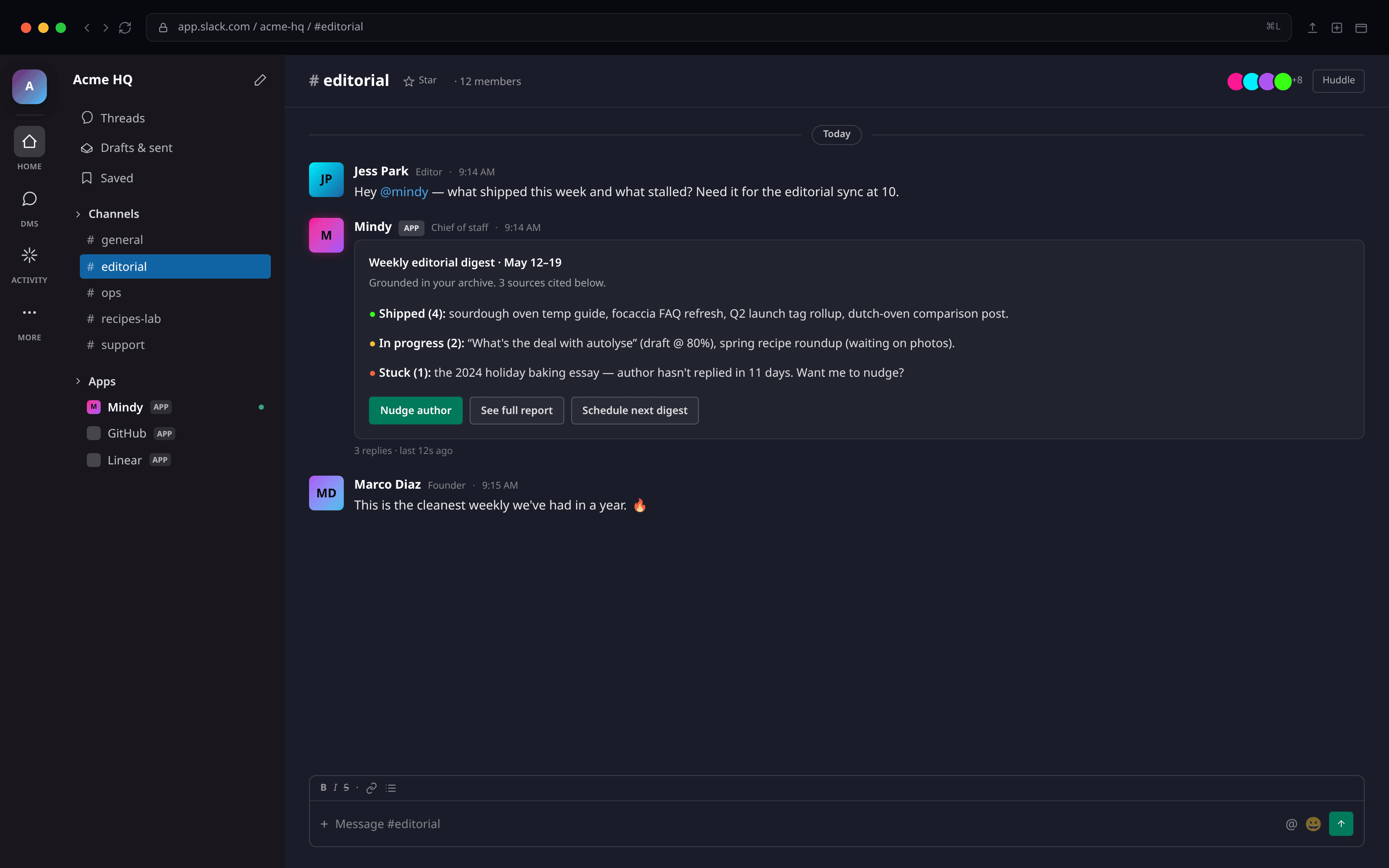
Invite Mindy to #editorial, #support, or anywhere your team works. Mention her with a question and she replies from your archive — with the post she pulled it from. Weekly digests post on the schedule you pick.

Mindy delivering a weekly editorial digest in the #editorial channel of a Slack workspace — listing shipped posts, in-progress drafts, and a stalled essay needing a nudge.
In SlackPreview — not yet captured from live product
Step 4 · Light up the site chat widget

Readers can ask anything, any hour.

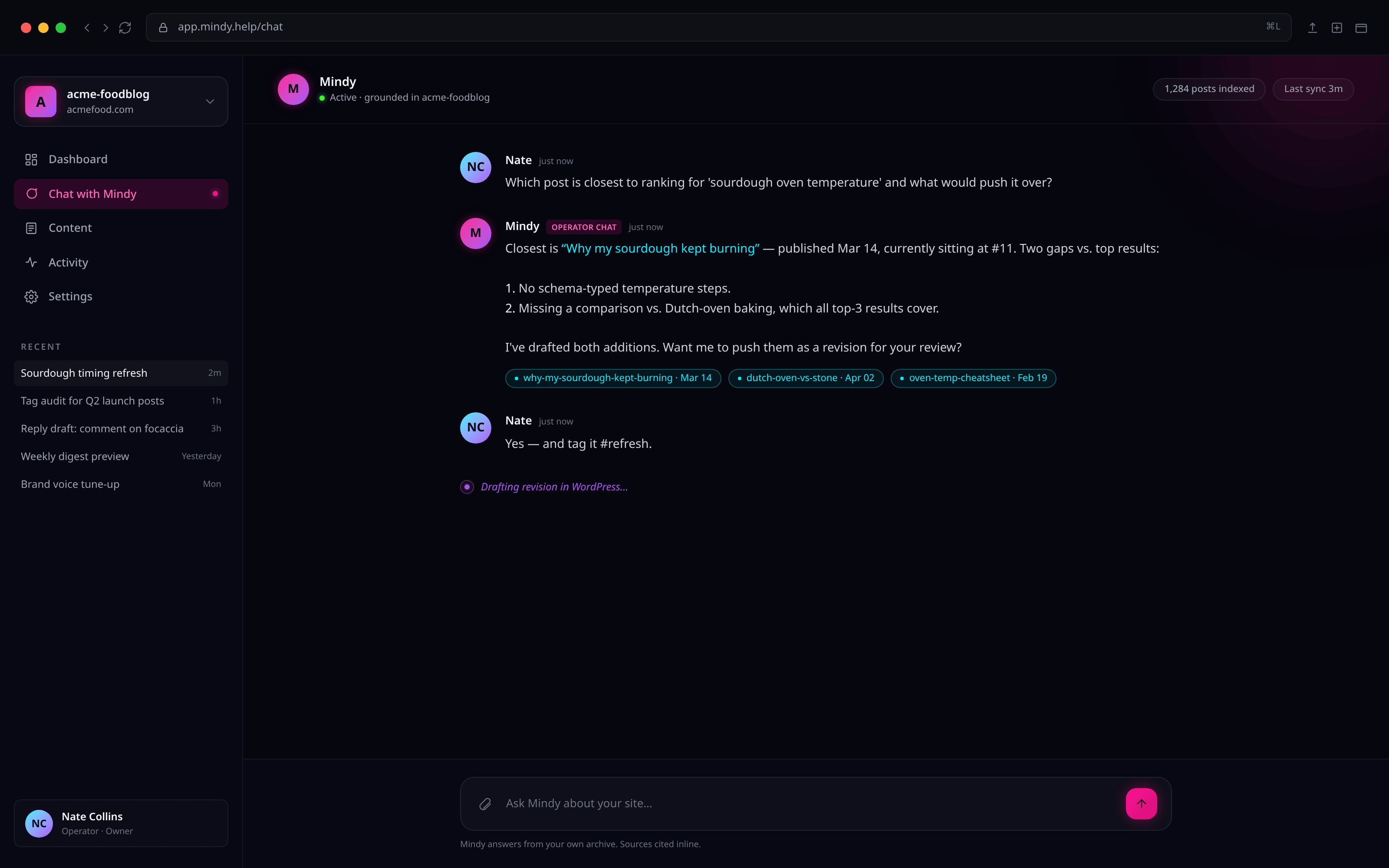
One script tag mounts the site chat widget on every page. Readers ask, Mindy answers from your writing first — never the open web. When she doesn't know, she hands the question to your inbox with the context already attached.

Mindy in the operator chat at mindy.help/chat, explaining why a sourdough post is sitting at rank #11 and proposing two revisions that would move it into the top 3.
On your sitePreview — not yet captured from live product
Step 5 · Approve from anywhere

Ship her drafts with a tap.

When Mindy drafts a refresh or a reply, you get a push. Approve, edit, or discard from the lock screen — the change lands in WordPress within the second. Nothing publishes until you say go.

9:41mindy

Tuesday · May 18

9:41

MMindynow

Refresh suggested: “Sourdough timing”

I've drafted an update with the new oven settings. Approve to publish.

ApproveEdit
On your phone
Try her now

A 30-second taste of Mindy.

We pre-seeded a fake archive so you can see how she replies. Pick a question — she answers from what that archive contains.

Mindy

Demo · simulated replies

3 messages left

Hi — I’m a demo of Mindy. Try asking about your content.

Replies in this demo are scripted — the real Mindy reads from your archive.

Seen enough?

The real version is faster — and she'll already know your site by the time you finish your coffee.